Stop Writing Lists, Start Telling Stories: A User-First Guide to Software Requirements Specifications
For years, we have been trained to write Software Requirements Specifications (SRS) like robot instructions: cold, clinical, and disconnected from the human using the software.
The result? Misaligned expectations and features that solve the wrong problems.
But here is the truth: Software doesn’t exist to process data; it exists to help people. It helps a mother book a pediatrician appointment at 2 AM. It helps a barista track tips after a double shift.
If our goal is to build software that helps people, why are we writing requirements that ignore the people entirely?
It is time to stop writing lists and start telling stories. In this post, we will explore how to build an SRS using personas and scenarios—because when you tell a story, developers don’t just write code; they build experiences.
Start with “Personas,” Not “Purpose”
Most SRS documents begin with a dry “Purpose” section: “The purpose of this system is to process online orders.”
That tells the team what the business wants, but it gives zero context on who they are building for.
If you want an effective SRS, you must answer one question first: Who is using this?
Meet Your Cast of Characters
A persona is a fictional character representing a core user. A strong persona includes:
- Name: Make them real. “Sarah” is easier to remember than “User A.”
- Goals: What are they trying to accomplish?
- Frustrations: What pains do they have today?
- Tech Skill: Are they a power user or a novice?
Why This Matters
When you define personas first, requirements stop being abstract.
Consider this: “The system shall include a password recovery function.”
Now, meet George. George is 67, uses the software twice a month, and frequently forgets his login info. He hates technical jargon.
Suddenly, George doesn’t need just any password recovery. He needs a big, obvious “Forgot Password?” button and an email written in plain English.
You cannot write that from a sterile “Purpose” section. You can only write it when you know George.
From Personas to Features
Once your personas are defined, simply ask: “What would make Sarah’s life easier?” The requirements flow naturally from the answer.
Name your cast first. The rest of your SRS will thank you.
Requirements as Stories (The Narrative SRS)
Once your personas are defined, it is time to write the requirements. But forget the old format: “The system shall…”
Instead, think like a filmmaker. You are not documenting features; you are scripting scenes for your characters.
Scenarios Over Functions
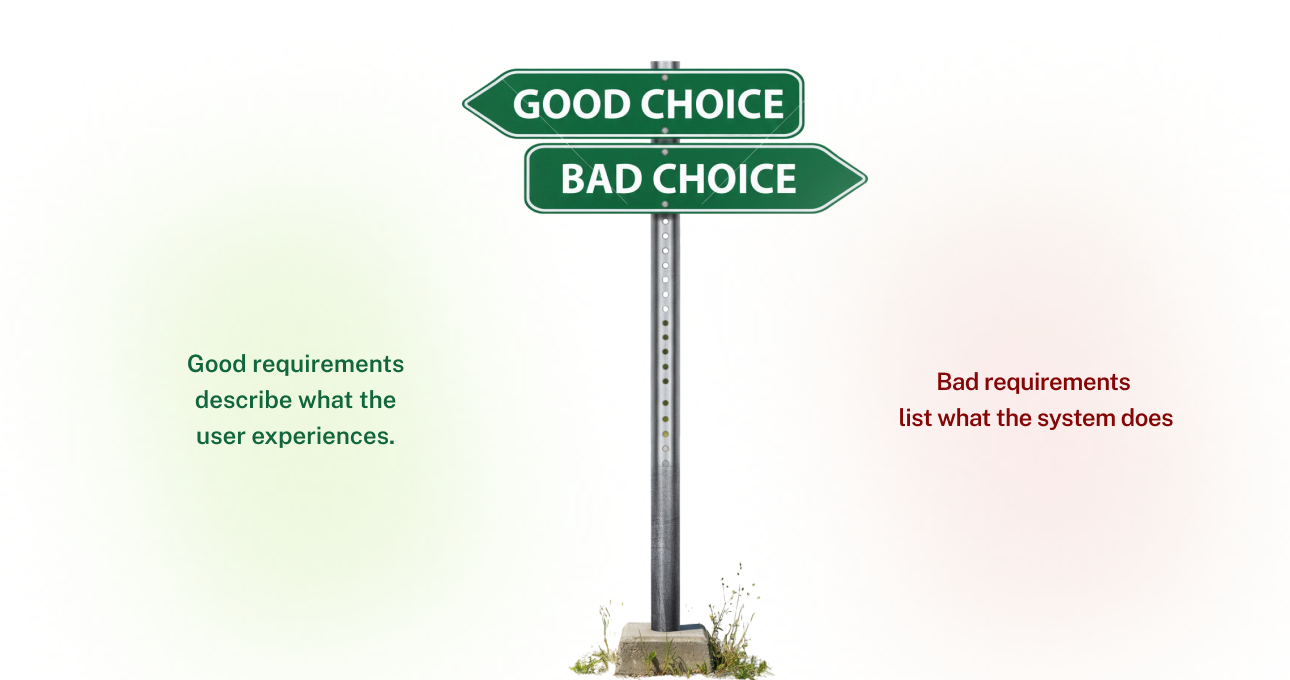
Bad requirements list what the system does. Good requirements describe what the user experiences.
- Old Way: “The system shall process a payment.”
- Narrative Way: “As a busy mom, Sarah wants to check out in under 30 seconds so she can complete her purchase before her toddler wakes up from nap.”
See the difference? The first line tells the developer what code to write. The second line tells them why it matters and what experience to design.

Map the Happy Path
Start with the ideal scenario. Write the story of a perfect user interaction from start to finish.
“Sarah adds items to her cart. She clicks ‘Checkout.’ The system remembers her address. She taps ‘Pay Now.’ A confirmation appears instantly. She smiles and closes the app.”
This gives the team a north star. Every feature decision should support this smooth journey.

Map the Unhappy Path
Now, write the stories where things go wrong. This is where empathy creates robust software.
- “What happens when the internet cuts out right as Sarah taps ‘Pay Now’?”
- “What happens when Sarah types her email wrong?”
- “What happens when her coupon code expires mid-purchase?”
By writing these stories, you naturally uncover edge cases that a dry list of requirements would miss. You build for reality, not just the ideal.
When you write requirements as stories, developers don’t just build functions. They build experiences that fit into your users’ lives.
Visualizing the Narrative
Words have limits. A paragraph describing a button click can be interpreted ten different ways by ten different developers.
That is where visuals come in. If the SRS is a storybook, visuals are the illustrations.
Show the Journey
Do not just describe the interface. Map the user’s movement.
A simple user flow diagram shows:
– Where the user starts
– What decisions they make
– What screens they see
This turns a list of features into a journey. Developers see how their code fits into the larger story.
Anchor Text with Wireframes
Low-fidelity wireframes are worth a thousand words.
Instead of writing: “A login screen with two fields, a button, and a link to password recovery…”
Just include a simple sketch. A rough box labeled “Username Field” is enough to prevent misinterpretation.
Why This Works
When you pair narrative with visuals, you remove ambiguity. The team stops asking “What did you mean?” and starts asking “How do we build this?”
The story becomes shared. And shared understanding is the entire point of an SRS.
Checkout our Software development service.
Validating the Story
Writing a beautiful narrative SRS is only half the battle. You need to prove that the story actually works before a single line of code is written.
This is where validation happens.
Turn Stories into Acceptance Criteria
Every user story you wrote should transform into something testable.
The Story: “As a busy mom, Sarah wants to check out in under 30 seconds.“
The Acceptance Criteria: “The checkout flow shall require no more than three taps and complete in under 30 seconds on a standard 4G connection.”
The story provides context. The criteria provide a target. QA now knows exactly what “good” looks like.
Validate the Non-Functional Needs
Remember that your stories contain hidden requirements about performance, security, and usability.
The Story: “Sarah wants to pay quickly.”
The Hidden Need: The system must be fast. Page load times, response times, and reliability all become requirements.
Go back through your narratives and highlight every adjective or feeling. “Quick,” “easy,” “secure.” Each one translates into a measurable non-functional requirement.
Test the Story with Real Users
Before development begins, walk your personas through the story. Read it aloud to stakeholders. Ask: “Does this feel true to Sarah’s experience?”
If the story feels wrong now, the software will feel wrong later. Fix the narrative first, and the code will follow.
When your stories are validated, you build with confidence instead of guesswork.
Conclusion
For too long, we have treated software requirements specifications as technical documents. Lists of functions. Dry system behaviors. Instructions for machines.
But software is not for machines. It never was.
Software is for Sarah, trying to check out before her toddler wakes up. It is for George, anxious about forgetting another password. It is for the barista, the accountant, the mother, the doctor.
When you write an SRS as a collection of features, you deliver code. When you write it as a collection of stories, you deliver value.
The Choice is simple.
– Lists tell developers what to build.
– Stories tell developers why it matters.
– Lists check boxes.
– Stories solve problems.
So the next time you open that template, do not start with “Purpose.” Start with a name. Start with frustration. Start with a goal.
Tell the story first. Let the requirements follow.
Because when you tell a story, developers don’t just write code. They build experiences that fit into real human lives.
And that is the entire point.
We have a custom software development guide that may help you to understand the process, service & model.
