- Sanzida Afrin
- 0 Comments
- 68 Views
CRM vs ERP: What’s the Difference and Does Your Business Need Both in 2026?
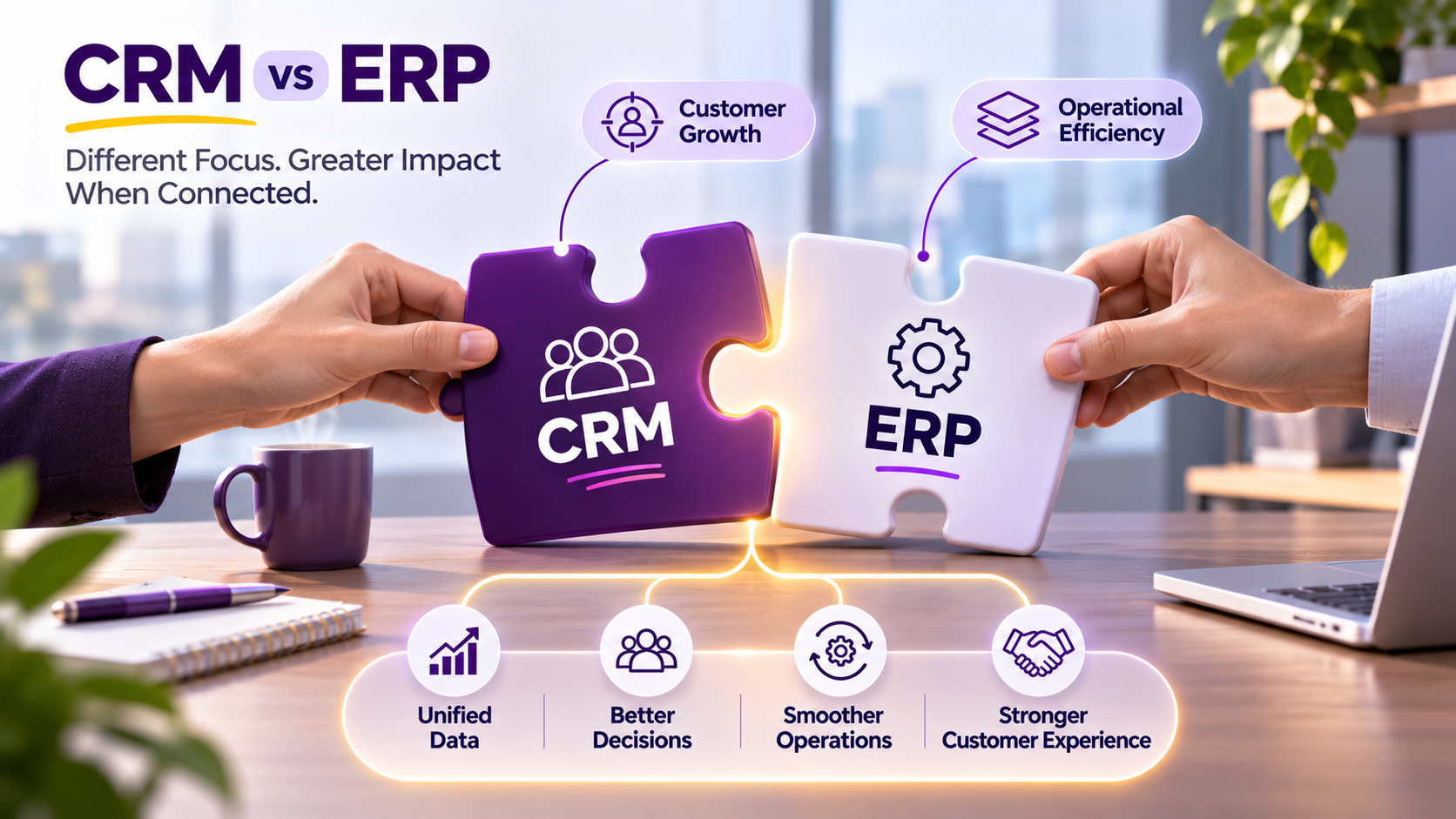
CRM vs ERP is a common question for businesses that are expanding their digital operations. Both systems centralize information, automate workflows, and help teams make better decisions, but they are designed around different parts of the business.
In simple terms, a CRM focuses primarily on customers, sales, marketing, and service, while an ERP focuses on internal operations such as finance, procurement, inventory, supply chain, human resources, and other core business processes. Modern businesses can use either system independently, but many growing organizations eventually benefit from connecting both.
The distinction matters because choosing the wrong system—or using two systems that cannot communicate effectively—can create more data silos instead of eliminating them.
A CRM may tell a salesperson what a customer has purchased and which conversations have taken place. An ERP may contain the order, inventory, invoice, payment, and fulfillment information behind that purchase. When the two systems are connected, employees can see a much more complete picture of the customer and the business transaction.
So, CRM vs ERP is not necessarily a question of choosing one winner. For many organizations, the more useful question is: which system solves the current business problem, and when should the two be integrated?
What Is a CRM?
CRM stands for Customer Relationship Management. A CRM system helps businesses manage relationships and interactions with prospects and customers across sales, marketing, and customer service.
At its core, a CRM creates a shared view of customer information. Instead of keeping contact details, sales activities, emails, notes, and service interactions across separate spreadsheets and applications, a CRM can bring relevant information together in one environment.
Microsoft describes CRM as both a business strategy and the technology used to manage customer relationships across marketing, sales, and service. Modern CRM platforms can centralize customer information, automate routine processes, and provide analytics and AI-powered insights.
For a sales team, that might mean tracking leads, opportunities, follow-ups, and sales pipelines. For marketing, it could involve managing campaigns and customer segments. For customer service, the CRM can provide interaction history and information about the customer's relationship with the company.
The main objective is relatively straightforward:
Help the business understand, manage, and improve its customer relationships.
What Is an ERP?
ERP stands for Enterprise Resource Planning.
While CRM focuses heavily on the customer-facing side of a business, ERP is designed to connect and manage many of the internal processes that keep the organization running.
An ERP can bring together areas such as finance, accounting, procurement, inventory, supply chain management, manufacturing, human resources, and project management. Microsoft describes ERP as business management software that connects an organization's core processes, data, workflows, users, permissions, and reporting within a connected environment.
Consider a company that receives an order.
The CRM may help the sales team manage the customer and opportunity. The ERP may handle the inventory, invoice, fulfillment, accounting, and operational side of that transaction.
This is why ERP is often described as the system supporting the back office, while CRM is more closely associated with the front office.
The distinction is not absolute because modern platforms increasingly overlap. Many ERP products include CRM functionality, and many CRM platforms integrate deeply with operational systems.
Still, their primary purposes remain different.
CRM vs ERP: What Is the Main Difference?
The simplest way to understand the CRM vs ERP difference is to look at what each system is trying to optimize.
A CRM is primarily concerned with relationships and revenue opportunities.
An ERP is primarily concerned with operations, resources, and business efficiency.
IBM's recent comparison similarly describes CRM as focusing on customer-facing activities such as sales, service, and marketing, while ERP focuses on internal processes such as finance, supply chain, project management, and human resources.
| CRM | ERP |
|---|---|
| Focuses on customer relationships | Focuses on business operations |
| Primarily supports sales, marketing, and service | Primarily supports finance, procurement, HR, inventory, and operations |
| Manages leads and opportunities | Manages orders, resources, and transactions |
| Stores customer interaction history | Stores operational and financial information |
| Helps improve sales and customer experience | Helps improve efficiency and operational control |
| Primarily front-office oriented | Primarily back-office oriented |
| Tracks customer journeys | Tracks business processes and resources |
Neither system is inherently more important.
Their value depends on what the business needs to manage.
A company focused on acquiring and retaining customers may gain immediate value from CRM. A manufacturer dealing with inventory, procurement, production, finance, and supply chain complexity may need ERP capabilities much sooner.
CRM vs ERP: Which Business Problems Does Each Solve?
A CRM is particularly useful when customer information and sales processes are becoming difficult to manage.
A company may have hundreds or thousands of prospects, multiple sales representatives, ongoing campaigns, recurring follow-ups, and customer-service interactions. Without a central system, important information can easily become scattered.
An ERP becomes more valuable when internal operations become complicated.
A growing business may need to coordinate purchasing, inventory, accounting, employees, suppliers, production, projects, and financial reporting. Managing these activities through disconnected spreadsheets and individual applications can create duplicate data and inconsistent information.
The two systems therefore solve different problems.
A CRM answers questions such as:
Who are our customers? What opportunities are open? What interactions have taken place? What should the sales or service team do next?
An ERP answers questions such as:
What do we have? What do we owe? What has been ordered? What is in inventory? What does the business cost to operate? What resources are available?
The value becomes even greater when those questions can be answered together.
Does a Business Need Both CRM and ERP?
Not every business needs both immediately.
A small company with a relatively simple operation may be able to operate effectively with a CRM and separate accounting or operational tools.
As the organization grows, however, the need for stronger connections between customer-facing and operational data often becomes more apparent.
Imagine a sales representative speaking with a customer about a new order.
The salesperson needs to know the customer's history and opportunity status. But they may also need to know whether the product is in stock, whether there are outstanding invoices, whether an existing order is being fulfilled, or when the customer can expect delivery.
Much of that information may live in an ERP rather than the CRM.
This is where integration becomes valuable.
Oracle notes that CRM and ERP systems are not interchangeable and that they serve different front-office and back-office functions. It also identifies integration between the two as a way to synchronize business information and improve visibility.
The decision should therefore depend on the complexity of the business rather than on the assumption that every organization needs two large systems from day one.
When a CRM May Be Enough
A CRM may be the more appropriate first investment when the primary challenge is managing customers and sales.
For example, a growing professional-services company may have a relatively simple operational structure but a rapidly expanding sales pipeline. The immediate problem might be tracking prospects, follow-ups, proposals, meetings, and customer relationships.
In that situation, implementing a full ERP could introduce unnecessary complexity.
The company may benefit more from improving its CRM processes first and adding operational systems when the business actually needs them.
The same principle applies to startups and smaller organizations.
Technology should solve the problem the business has today while leaving room for future growth.
When an ERP Becomes More Important
ERP becomes increasingly valuable when internal operations become interconnected.
A company managing inventory, purchasing, accounting, employees, suppliers, production, or complex projects may eventually find that individual applications cannot provide enough operational visibility.
Suppose an organization sells physical products.
A new order affects inventory. Inventory affects procurement. Procurement affects suppliers and cash flow. The sale affects revenue and accounting. Delivery affects customer service.
These processes are connected whether the software recognizes the connection or not.
An ERP can help bring those operational processes together.
Microsoft explains that ERP systems connect core processes and use shared data so that activity in one area can update or inform other areas of the organization.
That interconnectedness is one of the major reasons businesses adopt ERP as they become more operationally complex.
Why CRM and ERP Integration Matters
The real opportunity often appears when CRM and ERP systems can communicate.
Without integration, a salesperson may have customer information in the CRM while order and inventory information remains inside the ERP.
Employees may then need to switch between systems or manually copy information.
That creates friction.
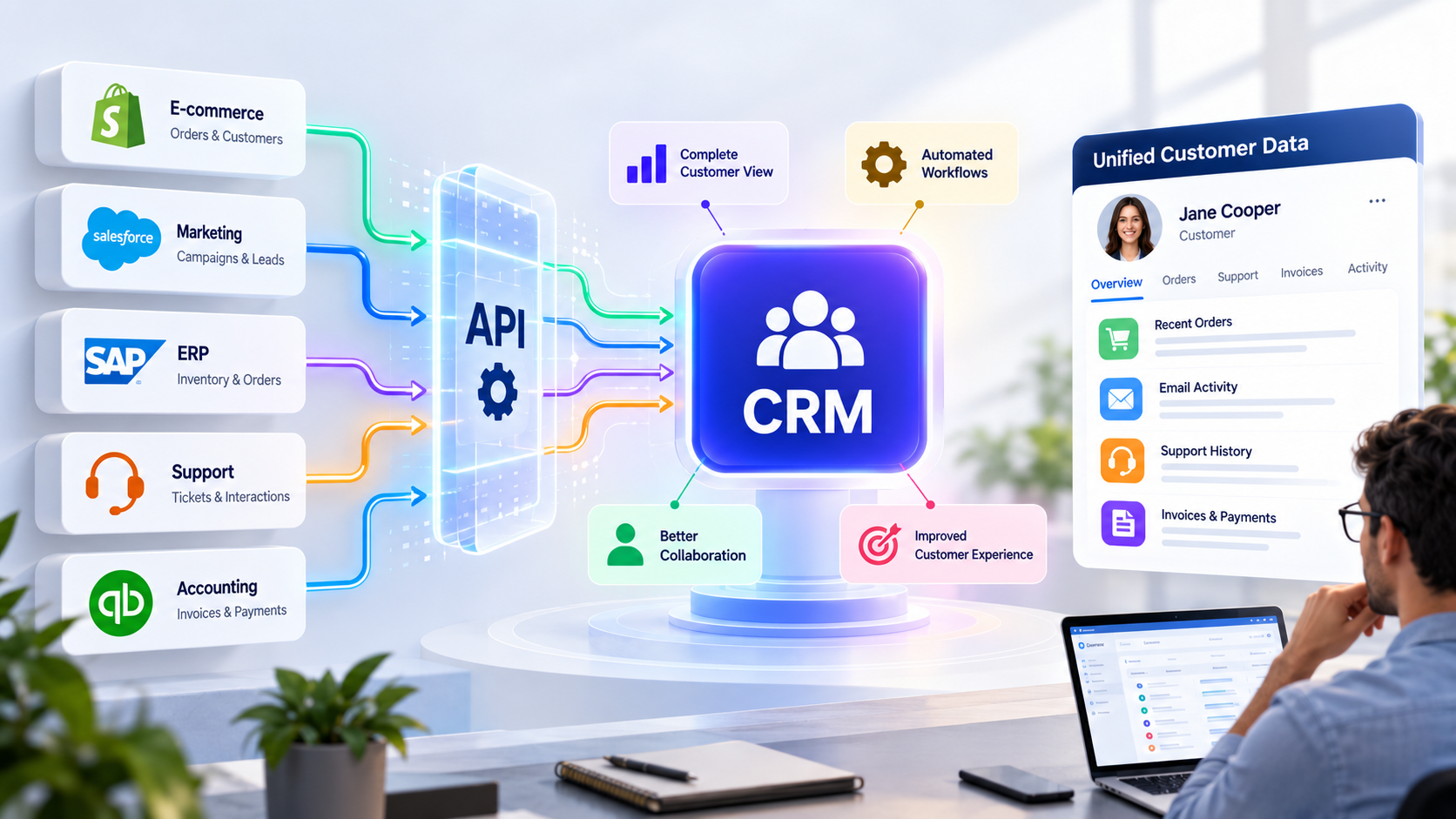
With integration, relevant information can move between the systems according to defined rules.
For example, when a sales opportunity becomes an order, the relevant information can be passed to the ERP. The ERP can then provide order, inventory, invoice, or fulfillment information back to the CRM.
IBM describes CRM-ERP integration as a way to connect customer, sales, and operational data, reduce silos, reduce manual work, and provide more accurate information across teams.
This creates a more connected workflow:
- Customer
- Sales
- Order
- Inventory
- Finance
- Fulfillment
- Customer Service
Instead of treating these as separate processes, integration allows the business to see them as parts of one customer journey.
What Information Should Move Between CRM and ERP?
The answer depends on the organization's processes.
There is no requirement for every piece of ERP information to appear inside the CRM, or vice versa.
The goal is to exchange the information employees actually need.
| Information | Usually Managed By | Why the Other System May Need It |
|---|---|---|
| Leads and opportunities | CRM | Sales and operational planning |
| Customer interactions | CRM | Service and account context |
| Orders | ERP | Sales visibility |
| Inventory availability | ERP | Accurate customer commitments |
| Invoices | ERP | Account and sales visibility |
| Payment status | ERP / Finance | Customer account management |
| Product information | ERP / Product system | Sales and customer communication |
| Customer service history | CRM | Broader customer context |
This is where good CRM and ERP integration becomes more important than simply having two powerful systems.
The systems should have clear ownership of data and defined rules for synchronization.
Microsoft specifically recommends determining which system owns each type of data before connecting CRM and ERP systems so information remains consistent.
CRM, ERP, and AI in 2026
The CRM vs ERP discussion is also changing because of artificial intelligence.
Modern CRM and ERP platforms increasingly include AI capabilities for analytics, recommendations, automation, and decision support. Microsoft's current ERP guidance, for example, describes cloud ERP platforms as increasingly incorporating AI for advanced insights.
But AI makes data integration more important rather than less important.
An AI system working with only customer information may have limited context. If it can securely access relevant order, inventory, billing, and service information, it can potentially provide more useful assistance.
For example, a sales assistant could potentially answer whether a customer has outstanding invoices and whether a requested product is currently available. A service assistant could combine customer history with order and delivery information.
The quality of the AI output depends heavily on the quality, accessibility, permissions, and context of the underlying data.
That means businesses considering AI should not look at CRM and ERP as isolated software purchases.
They should also consider how the systems share information.
Common Mistakes When Choosing Between CRM and ERP
One common mistake is choosing software based purely on the number of features.
A platform may have hundreds of capabilities and still be a poor fit if it does not match the organization's actual workflows.
Another mistake is treating CRM and ERP as competing products.
They overlap in some areas, but their primary purposes are different. Oracle and IBM both emphasize that CRM and ERP are complementary rather than interchangeable systems.
Businesses can also create problems by implementing systems without considering data ownership.
If customer, order, inventory, and financial information are duplicated across multiple systems without clear ownership, employees may eventually see conflicting information.
The technology should therefore be designed around the business process.
The question is not simply:
"Which software has more features?"
It is:
"Which system should be responsible for which information and which business process?"
How to Decide: CRM, ERP, or Both?
A practical decision starts with the business problem.
If the main challenge is managing leads, customer relationships, sales activity, marketing campaigns, and service interactions, CRM should probably receive priority.
If the main challenge is finance, inventory, procurement, supply chain, HR, manufacturing, or broader operational coordination, ERP may be the more important system.
If both areas are becoming complex, the business may need both—and the integration architecture becomes just as important as the individual platforms.
| Business Need | Better Starting Point |
|---|---|
| Lead and opportunity management | CRM |
| Sales pipeline management | CRM |
| Customer interaction history | CRM |
| Marketing and customer engagement | CRM |
| Accounting and financial management | ERP |
| Inventory management | ERP |
| Procurement and supply chain | ERP |
| Human resources | ERP |
| Connected customer and operational data | CRM + ERP integration |
| Complex customer-to-order workflow | CRM + ERP |
This approach keeps the decision grounded in business requirements rather than software trends.
Our Recommendation for Businesses
Businesses should not buy an ERP simply because they are growing, and they should not expect a CRM to manage every operational function.
Start by mapping the processes that create the most friction.
Where is customer information stored? Where are orders recorded? Who manages inventory? Where are invoices generated? Which team needs access to which information?
Once these relationships are clear, it becomes much easier to determine whether a CRM, ERP, or integrated environment makes sense.
For businesses that already have both systems, the next priority should usually be improving the flow of information between them rather than creating another disconnected tool.
The strongest architecture is not necessarily the one with the most software.
It is the one where the right information reaches the right team at the right time without unnecessary manual work.
Final Thoughts
The CRM vs ERP debate is not really about deciding which system is better.
CRM and ERP solve different problems.
CRM focuses on relationships, sales, marketing, and service. ERP focuses on finance, operations, resources, and internal processes. As businesses grow, the boundary between customer-facing and operational activities becomes increasingly connected.
That is why many organizations eventually use both.
The real advantage comes when those systems are designed to work together.
A salesperson should not have to call finance to find out whether an invoice is outstanding. A service representative should not need to search three systems to understand a customer's recent order. An operations team should not have to manually re-enter information that already exists somewhere else.
When CRM and ERP systems share the right information, businesses can reduce data silos, improve visibility, automate workflows, and create a more consistent customer experience.
In 2026, the better question is therefore not simply "CRM or ERP?"
It is:
"How should CRM, ERP, and the rest of the technology environment work together to support the business?"