- Sanzida Afrin
- cloud migration, cloud migration strategy, cloud modernization
- 0 Comments
- 308 Views
Moving business applications to the cloud sounds straightforward until a company starts asking a more important question: should we simply move our existing systems, or should we improve them at the same time?
That is where the cloud migration vs cloud modernization decision becomes important.
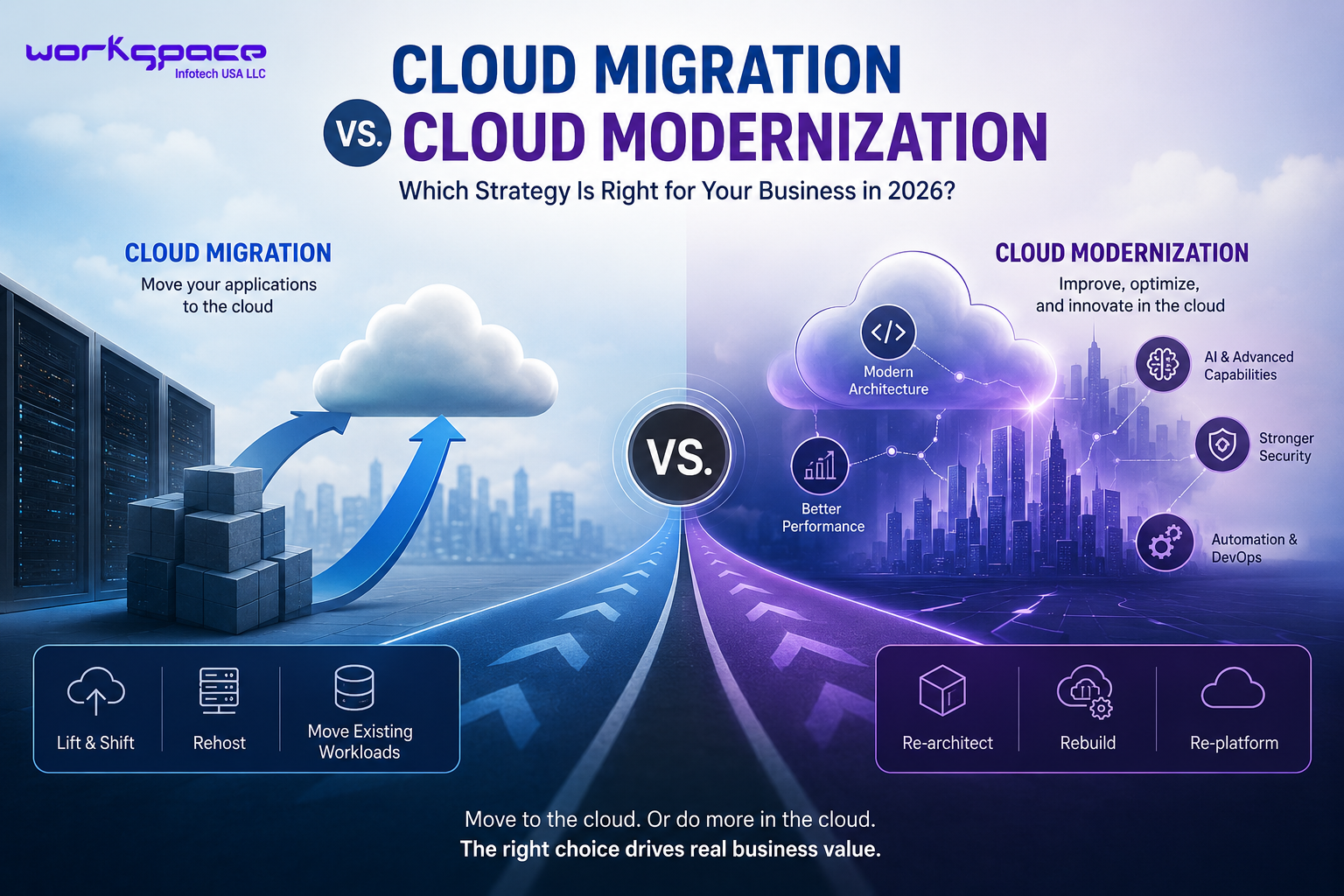
Cloud migration generally focuses on moving applications, data, infrastructure, or workloads from an existing environment into a cloud environment. Modernization goes further by changing how applications are built, deployed, operated, or integrated so they can take better advantage of modern cloud capabilities. Google Cloud describes migration as moving workloads to the cloud, while modernization can include optimizing or re-architecting them afterward.
Neither approach is automatically better.
For some businesses, moving first and improving later is the smartest path. For others, keeping the existing architecture unchanged may simply transfer old limitations into a new environment.
The right choice depends on what the business is trying to achieve. Understanding cloud migration vs cloud modernization starts with recognizing that the two approaches solve different business problems.
Cloud Migration and Cloud Modernization Are Not the Same Thing
Think of cloud migration as moving and modernization as improving.
Imagine a company running an internal business application on servers inside its office.
With a straightforward migration, the company could move that application and its supporting infrastructure into the cloud with relatively limited changes.
The application still performs essentially the same job.
Modernization takes a different approach.
The company might redesign parts of the application, improve its architecture, update databases, introduce managed cloud services, improve APIs, automate deployment, or break down parts of a large application into more manageable components.
Microsoft’s Azure guidance describes modernization strategies such as replatforming, refactoring, and rearchitecting, with different levels of effort, risk, and potential benefit.
So the real distinction is not simply old infrastructure vs new infrastructure.
It is:
Move the existing workload versus change the workload so it works better for the future.
Why Businesses Are Considering Both Strategies
Cloud adoption is no longer only about replacing physical servers.
Businesses are looking for better scalability, resilience, security, deployment processes, integration, and access to newer cloud capabilities.
Google Cloud‘s current adoption framework emphasizes areas such as learning, scaling, and securing cloud environments, while its migration guidance recommends assessing workloads and dependencies before deciding which migration or modernization path makes sense.
AWS similarly describes migration as a potential first step toward modernization rather than necessarily the final destination.
This creates an important strategic opportunity.
A company does not necessarily have to choose one approach for every application.
One workload may be suitable for a relatively simple migration.
Another may deserve deeper modernization.
A third may be better replaced entirely. The cloud migration vs cloud modernization decision becomes easier when businesses compare the level of change, investment, and long-term value involved.
Cloud Migration vs Cloud Modernization: The Practical Difference
| Cloud Migration | Cloud Modernization |
|---|---|
| Primarily moves existing workloads to the cloud | Improves or redesigns existing applications |
| Usually involves fewer application changes | Often involves application and architecture changes |
| Can provide a faster path to the cloud | Usually requires more planning and development |
| Can reduce disruption when existing systems are stable | Can provide greater long-term flexibility |
| Useful when infrastructure is the main concern | Useful when the application itself has limitations |
| Focuses mainly on relocation | Focuses on long-term improvement and optimization |
When Cloud Migration Makes More Sense
A straightforward migration can be attractive when the existing application already performs its job reliably.
For example, suppose a company has a stable internal application with thousands of users. The application may not need major functional changes, but maintaining the underlying server infrastructure is becoming expensive or inconvenient.
Moving the workload to the cloud may provide a practical first step.
This approach can also make sense when:
- the business has a tight migration timeline;
- the application is relatively stable;
- infrastructure is the main concern;
- the organization wants to reduce dependence on physical servers;
- major application changes would introduce unnecessary risk.
Google Cloud identifies rehosting, commonly called “lift and shift,” as a migration strategy that makes relatively few changes to the application. It can be straightforward, although it may not take full advantage of cloud-native capabilities.
In other words, sometimes getting to the cloud first is the sensible business decision.
When Modernization Becomes the Better Choice
Migration becomes less attractive when the application itself is the problem.
Perhaps the software is difficult to maintain.
Maybe releases take too long.
The database architecture limits growth.
Integrations are difficult to implement.
The application cannot scale efficiently during periods of high demand.
Or developers spend more time maintaining old components than creating improvements.
In those situations, moving the application without changing it may not solve the underlying problem.
You have simply moved the old system somewhere new.
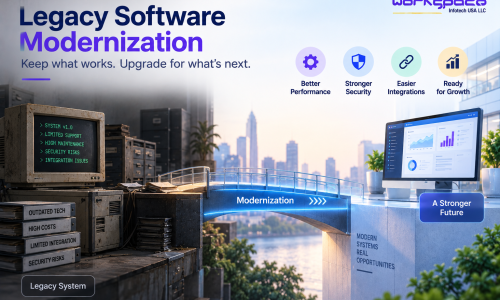
Modernization can address those limitations by changing selected components or the application’s broader architecture.
Microsoft recommends choosing modernization strategies according to the needs of individual workloads rather than assuming every application requires the same approach.
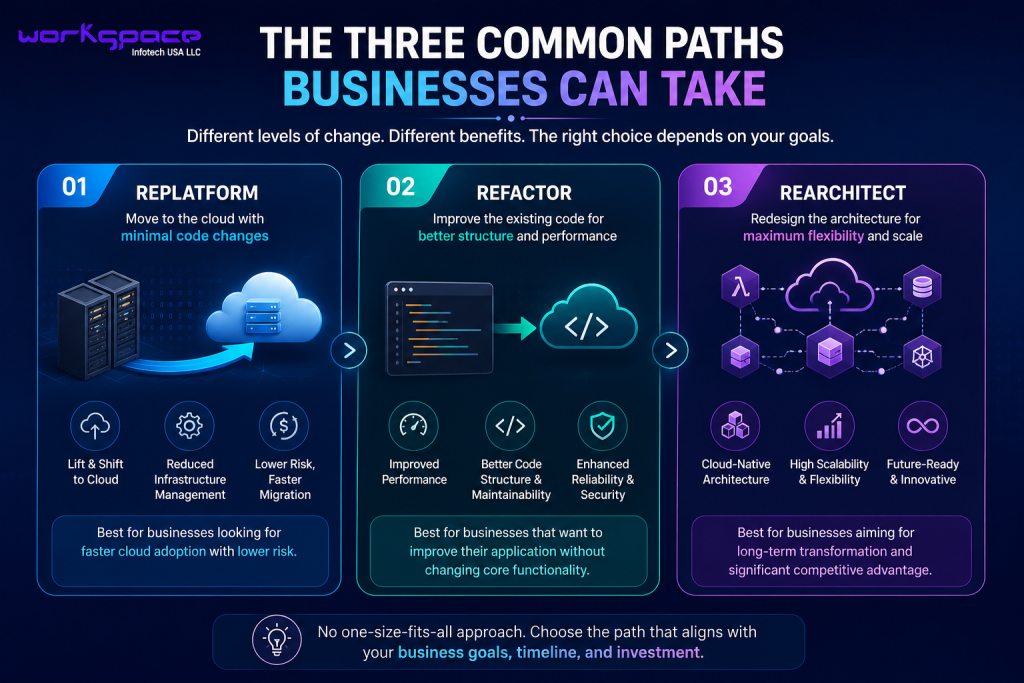
The Three Common Paths Businesses Can Take
There is no requirement to modernize an entire application at once.
In practice, businesses often choose from several levels of change.
Replatform
The application moves to a more suitable cloud platform with limited code changes.
This can reduce infrastructure management while avoiding a complete rebuild.
Refactor
Developers modify the existing code to improve structure, performance, maintainability, or cloud compatibility.
The application continues to perform its core functions, but the underlying implementation becomes stronger.
Rearchitect
The architecture itself is redesigned.
This can involve cloud-native patterns, event-driven systems, microservices, serverless components, or other architectural approaches where appropriate.
It can provide greater long-term flexibility, but it also requires considerably more planning, development, testing, and investment.
Microsoft identifies replatforming, refactoring, and rearchitecting as different modernization approaches with different trade-offs.
How Much Does Each Approach Cost?
There is no responsible universal price for cloud migration or modernization.
The cost depends on the number of applications, infrastructure, data volume, integrations, architecture, security requirements, downtime tolerance, and amount of development involved.
A simple migration may require relatively little application redevelopment.
A modernization project could involve architecture redesign, code changes, database restructuring, new APIs, testing, deployment automation, and user acceptance work.
That means businesses should not compare projects solely by initial cost.
A better question is:
What will this investment improve over the next several years?
AWS recommends connecting modernization decisions to measurable business outcomes such as agility, scalability, reliability, cost of ownership, and time to market.
Don't Modernize Just Because You Can
Modernization can be valuable, but more technology does not automatically mean more business value.
If an application is stable, secure, inexpensive to operate, and unlikely to change significantly, a major architectural redesign may not be justified.
AWS explicitly notes that applications do not necessarily need modernization when there is no clear business value in doing so.
This is an important principle:
Modernize where modernization solves a problem.
That might mean improving only one application component rather than rebuilding the entire platform.
Security Should Be Part of the Cloud Strategy
Moving or modernizing an application creates an opportunity to review its security architecture.
Businesses should consider how users authenticate, who can access data, how APIs are protected, how activity is monitored, and how sensitive information is stored and transferred.
Google Cloud’s adoption framework identifies security as a core area of cloud adoption and emphasizes controlling access to resources and understanding which data needs protection.
Security should therefore be considered during assessment and architecture planning—not added after the migration has already been completed.
A Better Way to Decide: Start With the Workload
The biggest mistake is choosing a cloud strategy before understanding the application.
Start by examining the workload.
How old is the application?
How important is it to daily operations?
What systems depend on it?
How difficult is it to maintain?
Does it need to scale?
What security requirements apply?
How frequently will the business need new features?
Once these questions are answered, the appropriate path becomes easier to identify.
A useful decision process can look like:
Assess → Map Dependencies → Define Business Goals → Choose Migration or Modernization Path → Test → Deploy → Monitor
Google Cloud’s current migration guidance similarly recommends discovery, dependency mapping, workload assessment, and choosing an appropriate path before execution.
Should You Migrate First and Modernize Later?
Sometimes, yes.
A phased approach can reduce disruption and allow a business to establish its cloud foundation before making larger application changes.
For example:
Phase 1: Move the application
Phase 2: Improve infrastructure
Phase 3: Modernize selected components
Phase 4: Optimize performance and cost
Phase 5: Introduce new capabilities
This approach can be particularly useful for large applications where a complete transformation would create too much risk at once.
AWS and Microsoft both describe phased and controlled modernization approaches that emphasize assessment, testing, governance, and gradual deployment.
How Workspace Infotech USA Can Help
Cloud decisions should begin with the business problem, not with a particular cloud technology.
Workspace Infotech USA can help businesses evaluate existing applications, plan cloud strategies, modernize software, develop cloud-based applications, improve integrations, and build scalable digital platforms.
Depending on the situation, the right solution could be a migration, modernization, partial rebuild, cloud-native development, or a combination of approaches.
The objective is not to move everything to the cloud simply because cloud technology is popular.
It is to create a more reliable, scalable, secure, and manageable technology environment that supports the company’s long-term goals.
Internal Link Suggestions:
- Custom Software Development in the USA: What Businesses Should Know in 2026
- Legacy Application Modernization with AI
- Build vs Buy Software: The Critical Decision Every US Business Must Make in 2026
- AI Agents for Business: How US Companies Can Automate Workflows in 2026
- Software Development Services
- Cloud Solutions
Final Thoughts
The cloud migration vs cloud modernization decision should not be treated as a simple choice between two competing technologies.
They solve different problems.
Migration can help a business move workloads into a cloud environment with limited disruption.
Modernization can help transform applications that are holding the business back.
And in many cases, the best strategy combines both.
The smartest approach in 2026 is to assess each workload individually, understand the business objective, and choose the level of change that creates measurable value.
Sometimes the answer is:
Move it.
Sometimes:
Improve it.
And sometimes:
Replace it.
The important part is knowing why.
Frequently Asked Questions
What is the difference between cloud migration and cloud modernization?
Cloud migration primarily involves moving applications, data, or infrastructure to a cloud environment. Cloud modernization goes further by improving or redesigning applications to better use modern cloud capabilities.
Is cloud modernization more expensive than migration?
It can be. Modernization may require code changes, architecture work, testing, and additional development. The actual cost depends on the application’s complexity and the level of transformation required.
Should every business modernize its applications?
No. Modernization should have a clear business purpose. Stable applications that already meet business requirements may not need significant architectural changes.
Can a company migrate first and modernize later?
Yes. A phased approach can allow businesses to move workloads first and modernize selected applications or components later.
What is lift-and-shift cloud migration?
Lift-and-shift, or rehosting, moves an application to the cloud with relatively few changes to the application itself. It can provide a faster migration path but may not capture all the benefits of cloud-native architecture.
How should a business choose between migration and modernization?
Start with an assessment of the application, dependencies, costs, security requirements, performance, maintenance challenges, and future business goals. Then select the appropriate path for that specific workload.