- Sanzida Afrin
- 0 Comments
- 710 Views
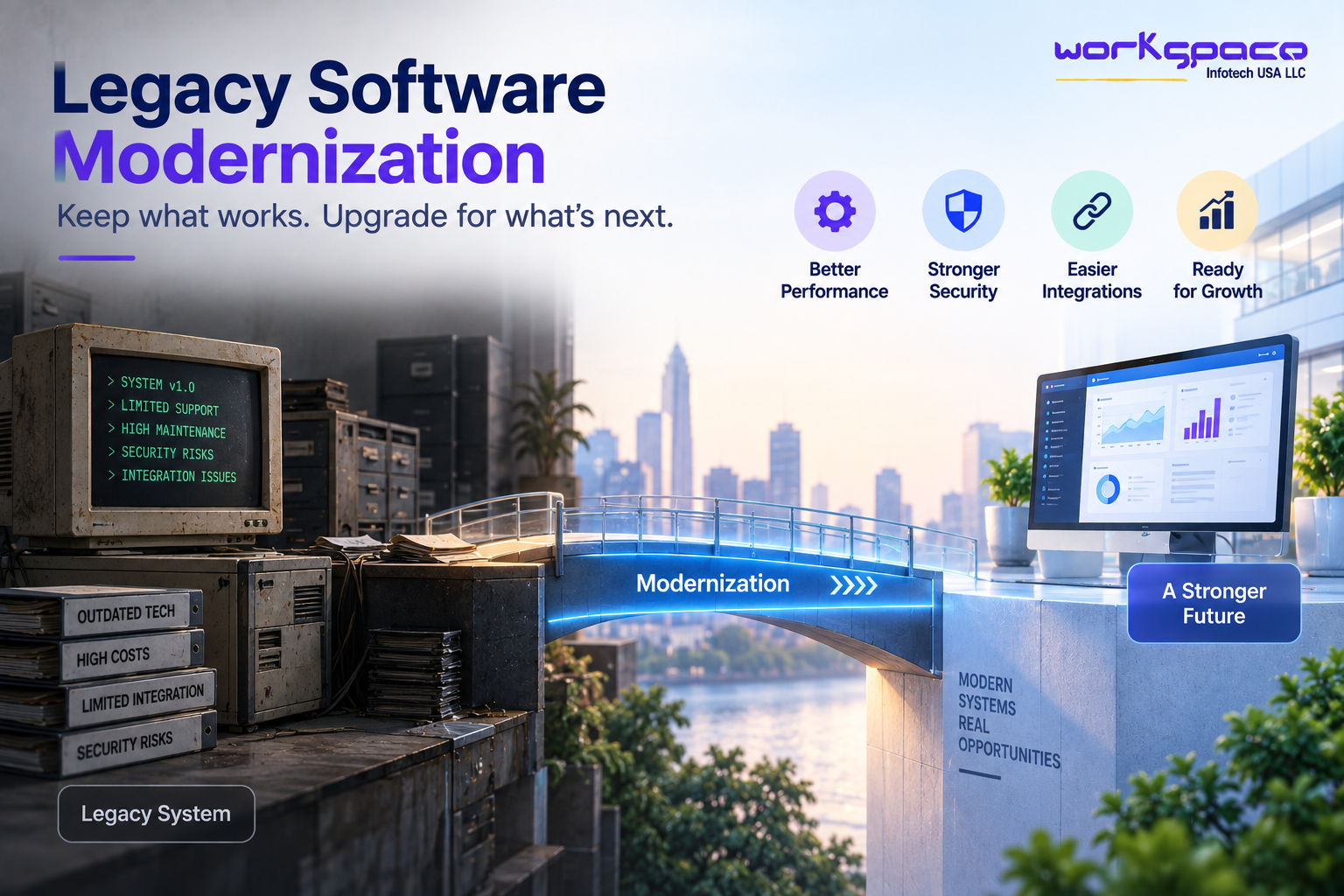
Legacy software modernization has become an important consideration for businesses that depend on applications built years ago but still play a critical role in daily operations.
Older software is not automatically bad software. Many legacy systems continue to perform important business functions reliably. The problem is that the technology supporting them may no longer fit the organization’s current requirements. Older architecture can make integrations difficult, security improvements harder to implement, and new features more expensive to deliver.
This creates a difficult situation for business leaders. Replacing a critical system can be expensive and disruptive, but continuing to operate an outdated platform indefinitely can create its own risks.
Modernization offers a middle path. Rather than automatically replacing everything, businesses can assess what is working, identify what is holding the organization back, and modernize the system in stages.
According to IBM, application modernization can involve changes to an application’s architecture, code, or infrastructure rather than requiring an organization to completely replace the application.
What Makes Software a Legacy System?
“Legacy” does not necessarily mean that software is old.
A system can become legacy when it is difficult to maintain, integrate, scale, or adapt to current business requirements. It may depend on outdated frameworks, unsupported technologies, tightly coupled architecture, or infrastructure that no longer fits the organization’s needs.
Sometimes the biggest problem is not the age of the application but the accumulated technical debt around it. Over years of development, teams may have added workarounds, custom integrations, patches, and features without redesigning the underlying architecture.
The application may still work, but making changes becomes increasingly complicated.
IBM describes legacy applications as systems that can suffer from outdated technology, limited scalability, inefficient performance, difficult maintenance, and security concerns.
This is why businesses should evaluate legacy software based on business impact, rather than simply asking how old the technology is.
When Does Legacy Software Become a Business Problem?
An older system becomes a more serious concern when it begins limiting what the business can do.
For example, a company may want to introduce a modern customer portal, connect its ERP to a new application, or provide real-time reporting. If the existing system cannot communicate easily with newer platforms, a seemingly simple improvement can turn into a major technical project.
The same problem can appear internally. Developers may spend more time understanding old code than implementing new functionality. Employees may rely on manual processes because the existing application cannot support automation. Security teams may also find it difficult to apply modern controls to outdated infrastructure.
These issues can accumulate gradually. The business may not experience a single dramatic failure, but the cost of maintaining the old environment can appear through slower development, higher maintenance effort, limited flexibility, and increasing operational risk.
Why Businesses Modernize Instead of Replacing Everything
Complete replacement can sometimes be the right answer, but it is not always necessary.
Critical business applications often contain years of business logic, customer information, workflows, and operational knowledge. Rebuilding everything at once means attempting to recreate that functionality while simultaneously changing the technology underneath it.
That can introduce significant project and operational risk.
Modernization provides another option: preserve the parts of the system that still provide value while gradually improving the areas that create limitations.
Microsoft describes application modernization as a process that can range from relatively small improvements to complete rebuilding, depending on an organization’s needs and existing environment.
This makes modernization less about “old versus new” and more about deciding what should stay, what should change, and what should eventually be replaced.
Legacy Software Modernization vs. Complete Replacement
The distinction is important because these approaches involve different levels of risk, investment, and disruption.
| Legacy Software Modernization | Complete System Replacement |
|---|---|
| Improves an existing application in stages | Replaces the existing application with a new system |
| Can preserve valuable business logic and existing functionality | Requires important functionality to be rebuilt or replaced |
| Allows phased implementation and gradual improvements | Usually involves a larger transition from the old system to the new one |
| Can reduce disruption to ongoing business operations | May require significant migration, testing, and change management |
| Suitable when the existing system still provides business value | Suitable when the existing system no longer meets core business requirements |
Neither approach is universally correct. The appropriate decision depends on the condition of the existing system, business priorities, technical constraints, budget, and future requirements.
A Modernization Project Does Not Have to Mean Rewriting Everything
One of the most common misconceptions about modernization is that the entire application needs to be rewritten.
In reality, businesses have several options.
A system might be moved to newer infrastructure with minimal application changes. Parts of the codebase may be refactored. A database or platform may be upgraded. An API layer may be introduced so modern applications can communicate with the existing system.
More substantial modernization may involve redesigning the architecture or rebuilding specific components.
IBM identifies approaches including rehosting, replatforming, refactoring, re-architecting, and rebuilding or replacing applications.
The right approach depends on what the organization is trying to achieve.
For example, if the primary problem is outdated infrastructure, replatforming may address the issue without requiring a complete rewrite. If the architecture itself prevents scalability and rapid development, a deeper redesign may make more sense.
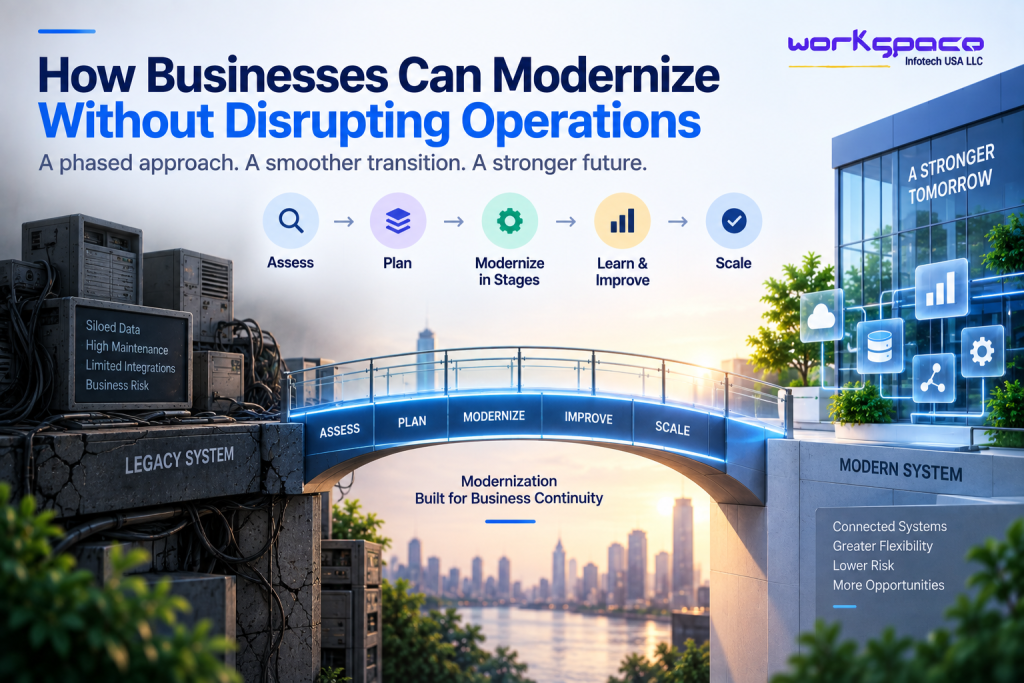
How Businesses Can Modernize Without Disrupting Operations
The biggest concern with modernization is often understandable:
What happens to the business while the system is being changed?
For critical applications, the answer should not be “turn off the old system and hope the new one works.”
A safer strategy is to understand dependencies first and modernize in controlled stages.
AWS recommends an iterative modernization approach that begins with assessment, selects suitable applications or components, modernizes them, and uses that experience to establish a foundation for broader modernization.
A practical modernization project can therefore begin with a detailed assessment of the current environment. Teams can map the application’s dependencies, identify critical workflows, understand data flows, and determine which parts of the system create the greatest business risk.
From there, modernization can be divided into manageable phases.
For example, a company might first modernize its authentication layer or expose selected legacy functionality through APIs. It could then modernize a specific business module before gradually moving toward a broader architectural change.
This approach allows the organization to learn from each stage instead of taking on the entire transformation at once.
APIs Can Help Connect Legacy Systems to Modern Applications
Sometimes the legacy application itself is still useful, but it cannot communicate easily with newer software.
In that situation, APIs can become an important part of the modernization strategy.
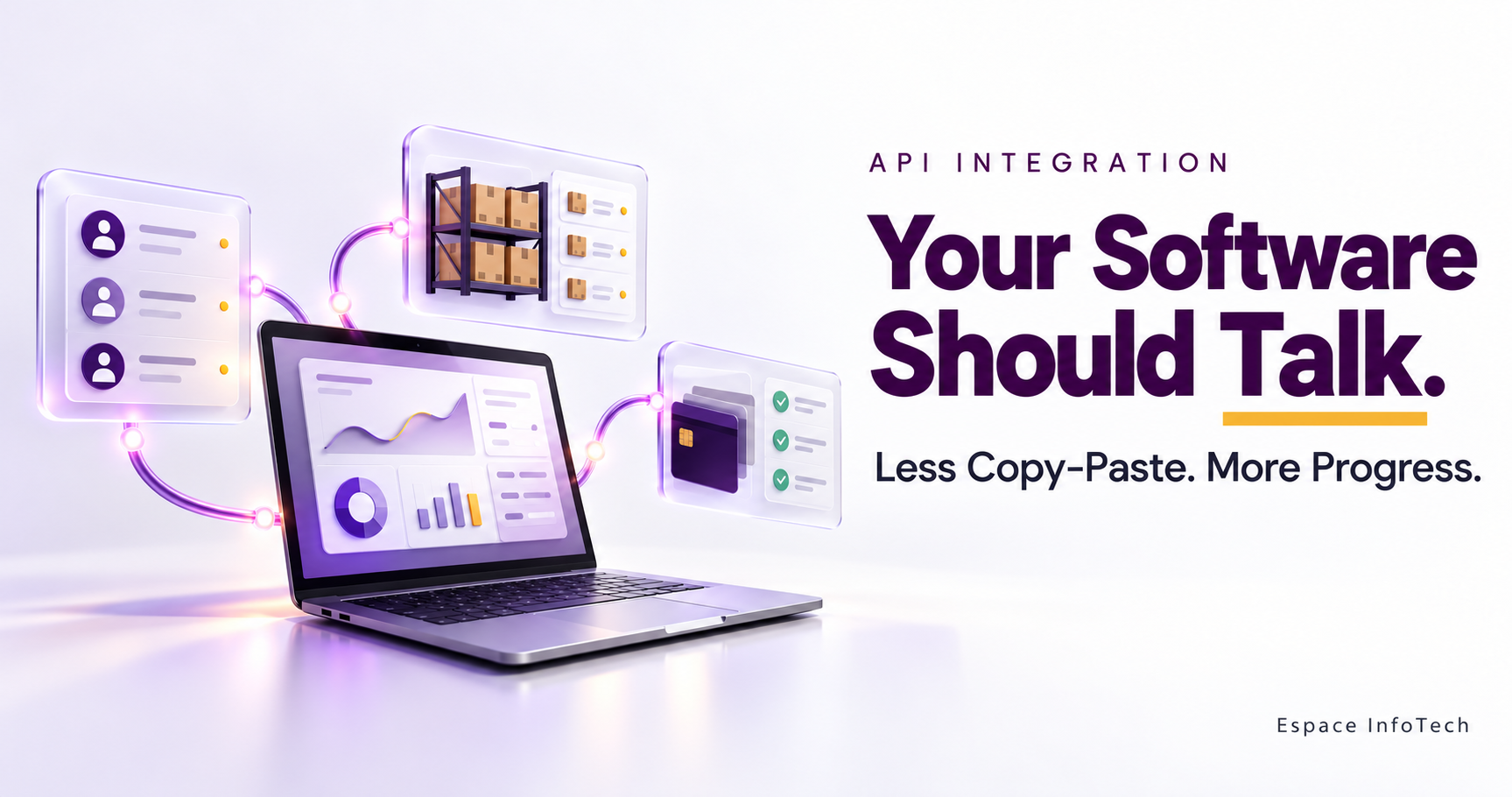
A legacy system can sometimes be exposed through a modern API layer, allowing newer applications and services to interact with selected functionality without immediately changing the underlying system.
IBM’s recent guidance on legacy code migration describes encapsulation through an API layer as one way to allow legacy applications to interact with modern infrastructure while keeping the existing codebase largely unchanged.
This can be particularly useful when the underlying business logic still works but the surrounding technology ecosystem has changed.
Instead of throwing away a functioning system, the business can create a bridge between the legacy environment and modern applications.
Security Should Be Part of Modernization From the Beginning
Modernization also provides an opportunity to reconsider security.
Older applications may have been designed for an environment that looks very different from today’s technology landscape. Authentication methods, access controls, encryption practices, monitoring, and infrastructure may all need to be reviewed.
Security should therefore be assessed before major architectural changes begin.
IBM recommends incorporating security requirements, risk assessment, access controls, data protection, and encryption into application modernization planning.
This is particularly important for businesses handling sensitive customer, financial, healthcare, or operational information.
Modernization should not simply make an application newer. It should make the overall environment more appropriate for the risks and requirements the business faces today.
How Cloud and Modern Architecture Fit Into Modernization
Cloud adoption is often associated with modernization, but moving an old application to the cloud does not automatically make it modern.
A business can move an existing application to cloud infrastructure with relatively few changes. This can provide infrastructure benefits, but the application may still retain architectural limitations.
AWS specifically notes that simply rehosting an application does not automatically provide all the benefits associated with modernization.
Modernization may instead involve refactoring the application, introducing managed services, improving deployment processes, separating tightly coupled components, or gradually moving toward cloud-native architecture.
The important point is that cloud migration and application modernization are related but different decisions.
How AI Can Influence Legacy Software Modernization
AI adds another reason for businesses to reconsider older systems.
Organizations increasingly want to use AI for analytics, automation, customer service, forecasting, document processing, and other workflows. But AI applications still need access to reliable business data and operational systems.
If important information is locked inside an outdated application, introducing AI can become unnecessarily difficult.
Modernization can create cleaner APIs, better data access, improved integration, and more flexible architecture.
This does not mean every legacy application needs to become an AI platform. Rather, modernization can make it easier for businesses to introduce new technologies when there is a clear business reason to do so.
Microsoft similarly identifies cloud, APIs, integration platforms, and modern development practices as technologies that can help connect legacy applications with newer services such as AI, analytics, and automation.
A Practical Modernization Roadmap
Businesses do not need to modernize every application simultaneously.
A more practical approach is to create a roadmap based on business importance and technical condition.
Start with assessment. Identify the applications that are most critical to the business, understand their dependencies, and determine where technical limitations are affecting operations.
Prioritize the highest-value opportunities. A system that is difficult to maintain but rarely changes may not require the same immediate attention as a system that directly affects customers, revenue, security, or business growth.
Modernize in controlled stages. Break larger projects into manageable components and validate each stage before moving to the next.
Measure the outcome. Track improvements in performance, development speed, maintenance effort, reliability, security, or other business outcomes that matter to the organization.
This creates a modernization program based on measurable value rather than technology for its own sake.
What Businesses Should Consider Before Starting
Legacy modernization is ultimately a business decision supported by technology.
Before starting a major project, organizations should understand why modernization is necessary and what success will look like.
If the objective is faster product development, the modernization strategy should improve development flexibility. If security is the main concern, security architecture and infrastructure should be prioritized. If the existing system is preventing integration with newer platforms, APIs and interoperability may deserve greater attention.
The modernization plan should also account for people and processes. Employees may need new workflows, developers may need to learn different technologies, and internal teams may need to support both legacy and modern components during the transition.
The most successful modernization programs therefore consider technology, operations, people, and business goals together.
Our Recommendation for Businesses
Businesses should not modernize legacy software simply because it is old.
They should modernize when the limitations of the existing system begin to interfere with business objectives.
Start with a detailed assessment rather than choosing a technology first. Understand what the current system does well, where it creates friction, which components create the greatest risk, and which capabilities the business will need over the next several years.
From there, choose the least disruptive modernization approach that can solve the most important problems.
In some cases, that may mean refactoring a portion of the application. In others, it may mean introducing APIs, moving selected components to modern infrastructure, re-architecting critical services, or eventually replacing the system altogether.
The objective is not to make technology look newer.
The objective is to make the business more adaptable.
Final Thoughts
Legacy software modernization does not have to mean a risky, disruptive replacement project.
When approached strategically, modernization can happen incrementally. Businesses can preserve valuable functionality while improving security, integration, performance, scalability, and their ability to introduce new capabilities.
The most important decision is therefore not whether a system is old.
It is whether the system is still helping the business move forward.
If an application is becoming harder to maintain, more difficult to integrate, increasingly expensive to change, or unable to support new business requirements, it may be time to develop a modernization roadmap.
A controlled modernization strategy can help businesses move from aging technology toward a more flexible foundation—without unnecessarily putting day-to-day operations at risk.