- Sanzida Afrin
- 0 Comments
- 58 Views
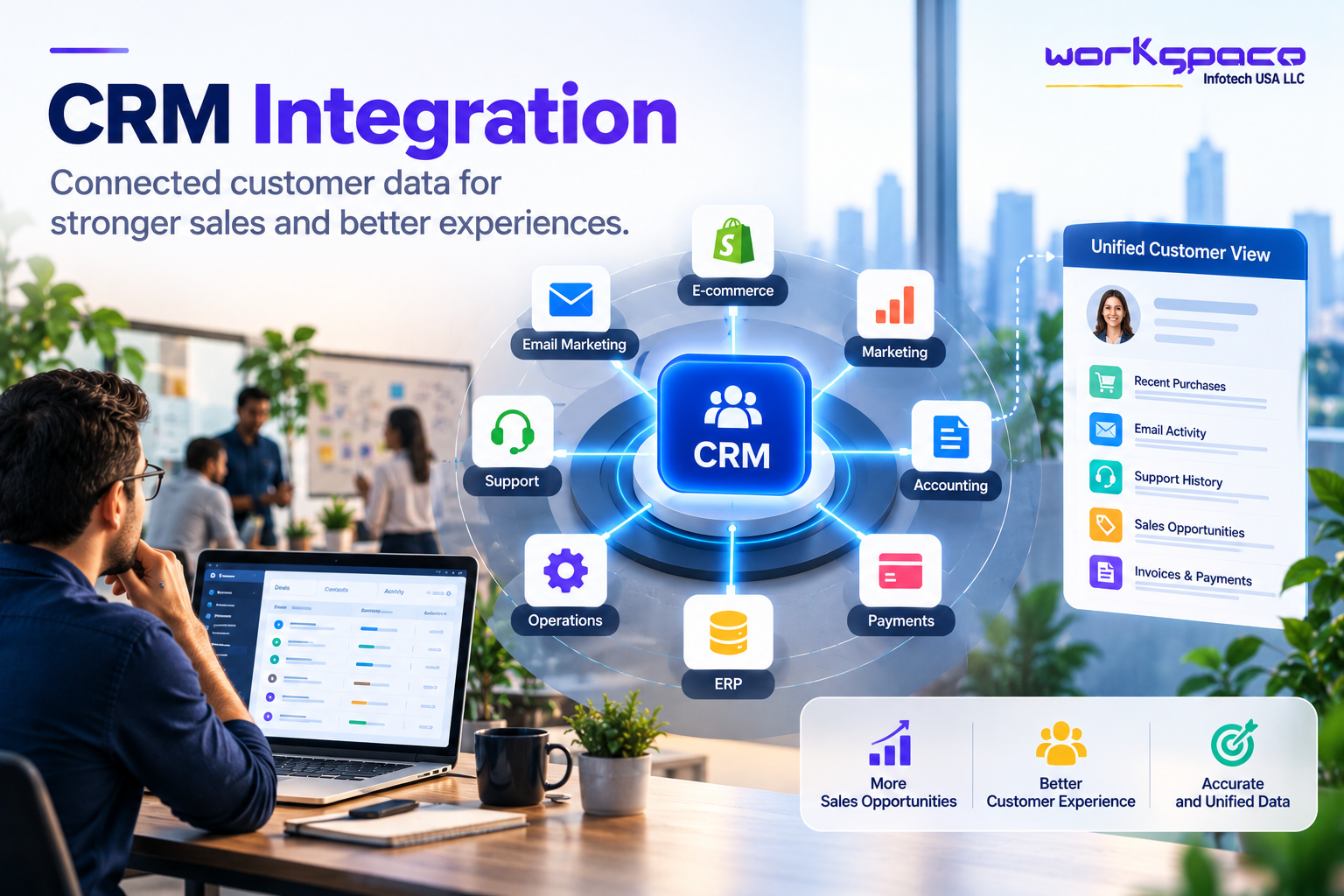
CRM integration has become increasingly important as businesses use more digital tools to manage customers, sales, marketing, service, payments, and operations.
A CRM can provide a central place for managing customer relationships, but it rarely contains every piece of information a business needs. Customer activity may also exist in an e-commerce platform, website, email marketing system, accounting software, support platform, ERP, or internal application.
When those systems operate independently, employees may have to switch between multiple applications to understand what is happening with a customer. Sales representatives may not see recent support interactions. Customer service teams may not know about a customer’s latest purchase. Marketing teams may work with outdated contact information.
The result is not simply an inconvenient technology setup. Disconnected customer data can create disconnected customer experiences.
CRM integration addresses this problem by allowing relevant information to move between systems, giving teams a more complete view of the customer and creating opportunities to automate parts of the customer journey.
Salesforce describes CRM integration as connecting third-party applications with a CRM so data and workflows can be synchronized between systems. It also highlights improved collaboration, data accuracy, operational efficiency, and customer experience as key outcomes.
What Does CRM Integration Actually Mean?
CRM integration means connecting a CRM with other applications so that information can be exchanged between them.
The exact implementation depends on the systems involved. An organization might connect its CRM with a website to capture leads automatically, with an email platform to synchronize campaign activity, or with an ERP to provide sales teams with information about orders and accounts.
Consider a customer who purchases a product online.
The website records the purchase. The payment system processes the transaction. The inventory platform updates stock. The CRM can then receive relevant customer and order information.
Without integration, employees may need to move some of that information manually.
With integration, the systems can exchange information according to predefined rules.
This is what turns a CRM from a customer database into a more connected part of the business’s operational environment.
Why Customer Data Becomes Fragmented
Customer information rarely lives in one place for long.
A customer might first interact with a company through a website form. Later, they may respond to an email campaign, speak with a sales representative, make a purchase, contact customer support, and eventually renew or upgrade their service.
Each interaction can generate useful information.
The challenge is that different departments often use different systems to record those interactions.
Sales may see the opportunity in the CRM. Marketing may see campaign engagement in its marketing platform. Customer service may see support tickets elsewhere. Finance may have payment and invoice information in another application.
When these systems are disconnected, employees have an incomplete picture of the relationship.
Microsoft explains that CRM integration can connect systems such as ERP, finance, e-commerce, marketing, customer support, and analytics so teams can work from a more unified customer record.
The goal is not necessarily to put every piece of data into the CRM.
The goal is to make the right information available to the right people at the right time.
How Connected Customer Data Improves Sales
Sales teams depend heavily on context.
A representative preparing to contact a prospect may want to know whether the person has visited the website, responded to previous campaigns, spoken with another salesperson, requested information, or already purchased something.
Without connected systems, collecting that context can require searching through several applications.
With CRM integration, relevant activity can be brought together within the sales workflow.
This can improve lead qualification and help salespeople prioritize their time. Instead of treating every lead the same way, teams can use available customer activity to understand which opportunities deserve attention.
CRM integration can also reduce administrative work. A website form can create a CRM record automatically. A completed purchase can update the customer profile. A sales activity can trigger a follow-up task.
The result is a sales process that relies less on manually moving information from one system to another.
Salesforce notes that integrating web forms, marketing automation, and sales tools can help businesses use broader customer data throughout the sales process.
Customer Experience Depends on More Than Customer Service
Customer experience is often associated with support, but the customer’s perception is shaped by the entire relationship.
Imagine contacting a company about an order and being asked to provide information the company already has.
The customer may have already entered their order number, contact details, and purchase history. If the support representative cannot access that information because it exists in another system, the customer may have to repeat themselves.
That is a small interaction, but repeated interactions like this can make a company feel disorganized.
An integrated CRM can help service teams access relevant customer history alongside support information. This can give employees more context when responding to questions and help create smoother handoffs between departments.
Microsoft similarly identifies CRM integration as a way to connect customer information across sales, marketing, and service, supporting a more consistent customer experience.
The Systems Businesses Commonly Connect to a CRM
The best integrations depend on the business model and existing technology environment.
An e-commerce company may prioritize connections with its storefront, payment platform, inventory system, and shipping software. A B2B company may place greater emphasis on its website, sales tools, email marketing, ERP, and customer support platform.
There is no universal integration map.
| System | What It Can Add to the CRM | Possible Business Impact |
|---|---|---|
| Website | Forms, registrations, and customer activity | Faster and more organized lead capture |
| Marketing Platform | Campaign engagement, email activity, and responses | Better lead nurturing and sales visibility |
| E-commerce | Orders, purchases, and customer history | More informed customer interactions |
| ERP | Account, order, inventory, and operational information | Better visibility across sales and operations |
| Customer Support | Support tickets and service history | More complete customer context |
| Payment System | Transactions, subscriptions, and payment information | Better account and payment visibility |
| Analytics Platform | Customer behavior and performance data | Stronger reporting and business decisions |
The value comes from choosing the right connections rather than integrating every available application.
For example, if a company’s biggest problem is that sales representatives cannot see customer purchases, connecting the CRM with the e-commerce or ERP system may provide more immediate value than integrating another marketing tool.
CRM Integration Can Reduce Manual Work
One of the less visible benefits of CRM integration is the reduction of repetitive administrative work.
Employees often spend time updating records, copying information, checking different systems, creating follow-up tasks, or notifying another department that something has changed.
These activities may each take only a few minutes.
Across hundreds or thousands of customer interactions, however, the accumulated effort can become significant.
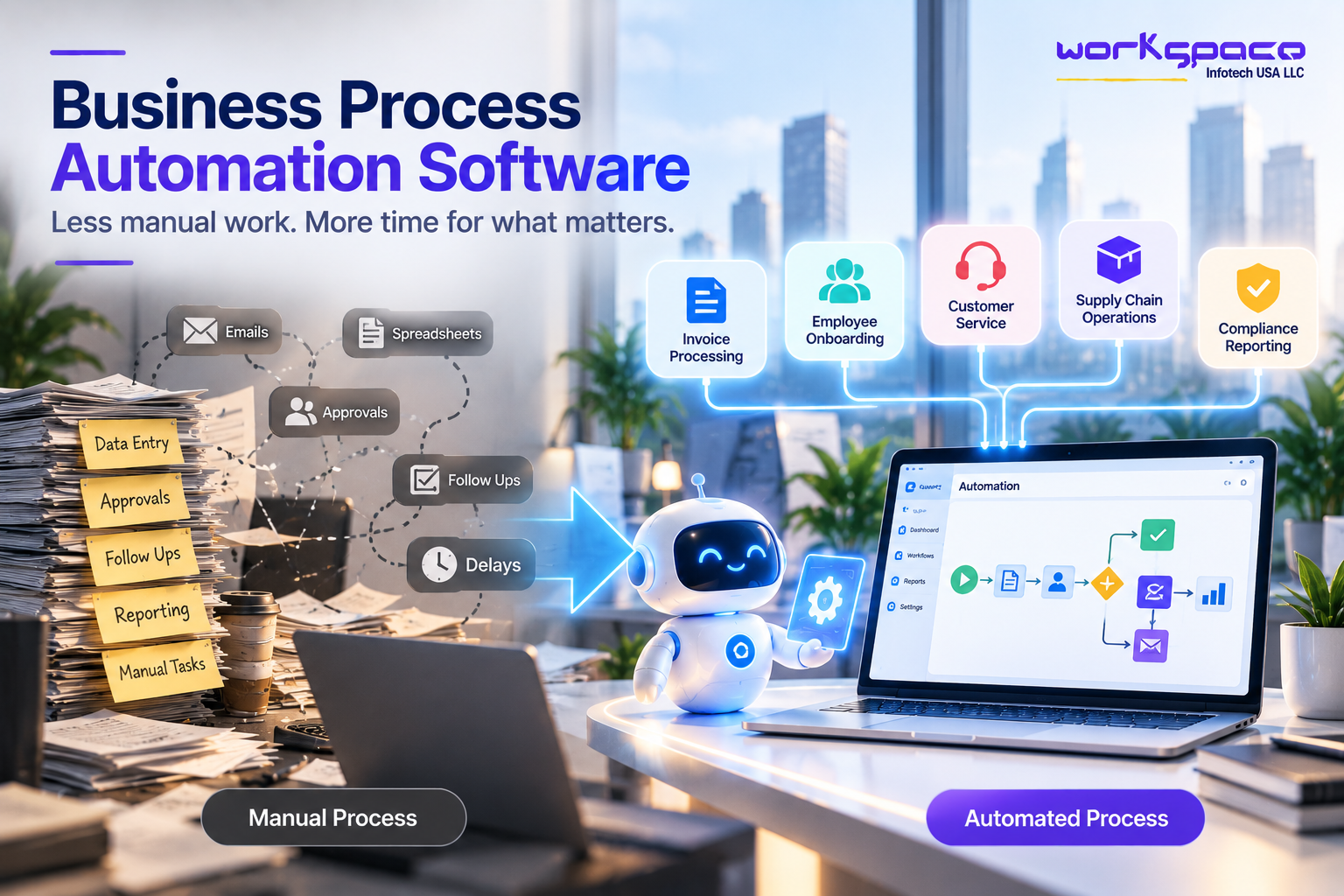
Automation can handle predictable steps.
A new lead can be added to the CRM automatically. A completed form can trigger a follow-up task. A purchase can update a customer record. A support case can notify the appropriate account owner.
Microsoft describes CRM automation as supporting tasks such as lead capture, lead routing, activity logging, follow-ups, and record updates.
This allows employees to spend less time maintaining the system and more time using the information inside it.
Lorem ipsum dolor sit amet, consectetur adipiscing elit. Ut elit tellus, luctus nec ullamcorper mattis, pulvinar dapibus leo.
APIs Are Often the Connection Behind CRM Integration
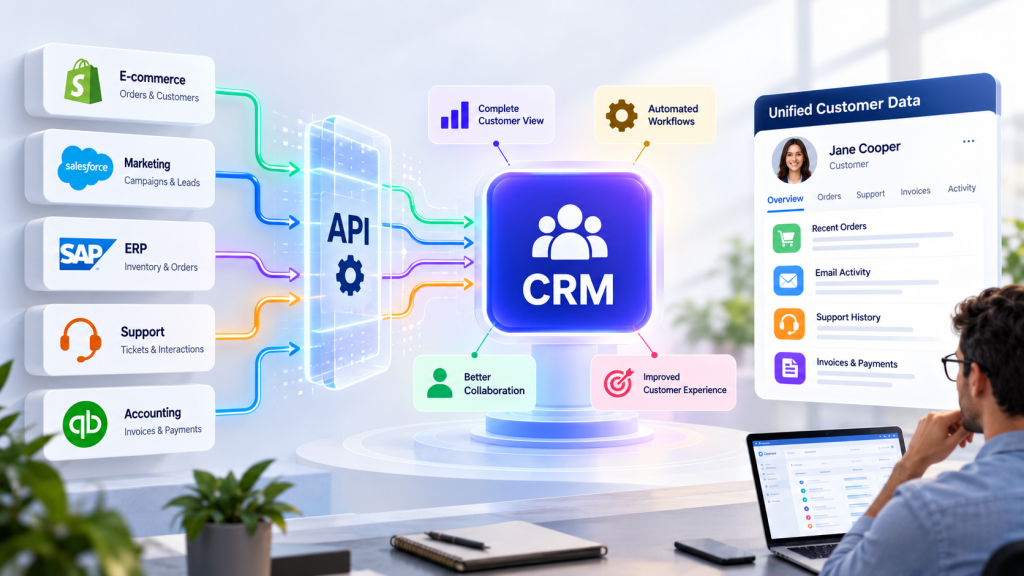
CRM integration frequently relies on APIs.
An API provides a structured way for one application to communicate with another. Instead of manually exporting and importing spreadsheets, connected applications can exchange selected information according to defined rules.
For example, a CRM might request customer order information from an ERP when a salesperson opens an account. Alternatively, an e-commerce platform might send a completed purchase to the CRM so the customer’s record can be updated.
Salesforce describes system APIs, process APIs, and experience APIs as different layers that can be used to connect systems and support increasingly complex business processes.
The technical architecture will vary from one organization to another, but the business objective remains the same: make useful information available without creating unnecessary manual work.
This also creates a natural connection between CRM integration and broader API integration services USA, particularly for businesses operating multiple custom and third-party systems.
Data Quality Matters as Much as Connectivity
Connecting systems does not automatically create clean customer data.
If the CRM contains duplicate records, outdated contact details, inconsistent company names, or incomplete information, integration can potentially spread those problems across other systems.
For this reason, businesses should consider data quality before connecting multiple platforms.
A useful integration strategy should establish which system is responsible for particular information and how conflicting records should be handled.
For example, the CRM might be the primary source for customer relationship information while the ERP remains the authoritative source for invoices and financial records.
This distinction prevents every system from trying to become the source of truth for everything.
A well-designed integration therefore considers data ownership, synchronization rules, validation, and error handling, not just connectivity.
CRM Integration and AI Are Becoming Closely Connected
The relationship between CRM integration and artificial intelligence is becoming more important as businesses adopt AI-powered sales and customer service tools.
AI systems need access to useful business context to generate meaningful recommendations.
A sales assistant that only knows a customer’s name and email address has limited context. An AI system that can access approved information about previous interactions, purchases, support cases, and engagement can potentially provide much more useful assistance.
Salesforce’s current CRM guidance highlights the role of integrated data in AI-powered automation and intelligent insights. Salesforce Microsoft has also emphasized that fragmented customer signals can limit the ability of AI systems to act effectively across customer journeys.
This does not mean every business needs an AI agent inside its CRM.
It means businesses considering AI should also examine the quality and accessibility of the data those systems will depend on.
Better-connected data can create a stronger foundation for useful AI.
How Businesses Should Approach CRM Integration
CRM integration should begin with a business problem rather than a technology checklist.
Start by mapping how customer information currently moves through the organization. Where does a lead originate? Where is it stored? Who updates it? What happens after a sale? Which system contains purchase information? Where are support interactions recorded?
Once those questions are answered, the organization can identify the points where disconnected systems are creating unnecessary work or limiting visibility.
The next step is prioritization.
A business does not need to integrate ten applications simply because ten integrations are technically possible. Start with the connection that addresses a meaningful problem and establish a measurable outcome.
That could mean reducing lead response time, eliminating duplicate data entry, improving customer visibility, or making account information available to service teams.
Once the first integration is stable, additional connections can be introduced as the business needs them.
What Businesses Should Consider Before Integrating a CRM
CRM integration can provide significant benefits, but poor planning can create another layer of complexity.
Before implementation, businesses should consider how systems will exchange information, how often data needs to synchronize, which platform owns particular data, and what happens when an integration fails.
Security also deserves attention. Customer information may move between several applications, so authentication, permissions, encryption, monitoring, and appropriate access controls should be considered based on the data and systems involved.
It is also important to think beyond the initial implementation.
Businesses change. New software gets introduced, existing platforms are upgraded, and customer journeys evolve. An integration that works today should be maintainable enough to adapt to those changes.
That is why good CRM integration is as much about architecture and process design as it is about connecting software.
Our Recommendation for Businesses
Businesses should not approach CRM integration as a project to connect every application they own.
Start with the customer journey.
Identify where customer information becomes fragmented, where employees have to repeat work, and where the lack of context affects sales or service. Those areas usually provide the clearest opportunities for integration.
Then choose the systems that can address those problems.
For some companies, the first priority may be connecting a website and CRM. For others, it may be linking the CRM with an ERP, e-commerce platform, customer support system, or internal application.
The best integration is not necessarily the most technically sophisticated one.
It is the one that makes an important business process simpler, more reliable, and more useful for the people who depend on it.
Final Thoughts
A CRM can store valuable customer information, but its real potential becomes much greater when it can work with the other systems surrounding it.
CRM integration can help businesses connect customer information across sales, marketing, service, commerce, finance, and operations. When those connections are designed around genuine business needs, they can reduce repetitive work, improve visibility, and create more consistent customer experiences.
The next stage of CRM is not simply having more customer data.
It is having connected customer data that people and systems can actually use.
As businesses introduce more automation and AI, that connected foundation will become even more important.
The companies that get the most value from their CRM may not be the ones with the most features.
They may be the ones that have done the best job of connecting the information already inside their business.